

Pick what your stream is missing
strAImer is assembled from modules: overlays for OBS, connections to streaming platforms, interactives your chat plays with, and tiles for the control panel. Each one is installed separately and runs on your own computer. They are free; the ones that use AI need a subscription, and their page says so.
Sort by
 Tools
Control OBS and Twitch by voice
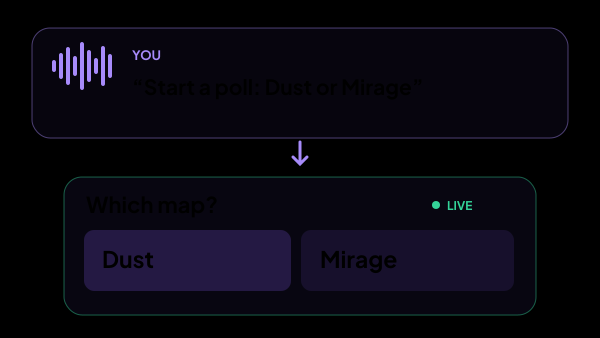
strAImer is a Windows app for controlling OBS and Twitch by voice while you play. Say “switch to the Break scene”, start a Twitch poll or save a clip without leaving your game. Speech is recognized on your PC; the AI assistant uses account credits.
Tools
Control OBS and Twitch by voice
strAImer is a Windows app for controlling OBS and Twitch by voice while you play. Say “switch to the Break scene”, start a Twitch poll or save a clip without leaving your game. Speech is recognized on your PC; the AI assistant uses account credits.
 Interactives
AI co-host for your chat
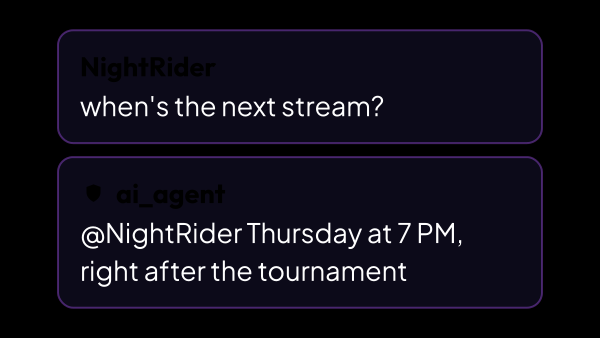
A chat bot that answers your viewers with your own links, your own gear and your own schedule — the questions you have already answered a thousand times. You write down what it knows and the character it answers in; it speaks only when a viewer calls it by name. It can reply to donations and look things up on the web once you allow it.
Interactives
AI co-host for your chat
A chat bot that answers your viewers with your own links, your own gear and your own schedule — the questions you have already answered a thousand times. You write down what it knows and the character it answers in; it speaks only when a viewer calls it by name. It can reply to donations and look things up on the web once you allow it.
 OBS overlays
Interactive mascots for OBS: a pet that reacts to your stream
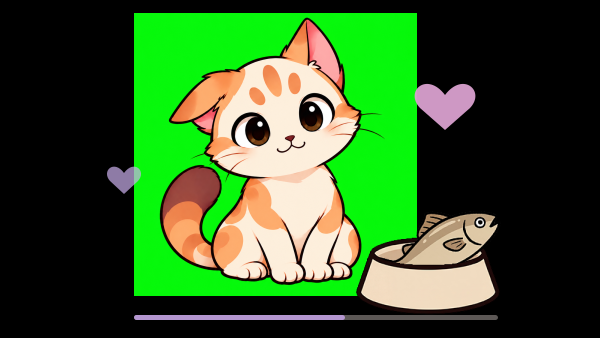
A mascot lives in your scene: donations drop food into its bowl, it grows rounder as the goal fills, and viewers can pet it or make it meow straight from chat. A fundraising bar that reacts instead of a fundraising bar that fills. Two cats are built in, Pirozhok and Patata, with the same mechanics, and Bytey, a 3D robot, downloads from the screen where you pick a mascot.
OBS overlays
Interactive mascots for OBS: a pet that reacts to your stream
A mascot lives in your scene: donations drop food into its bowl, it grows rounder as the goal fills, and viewers can pet it or make it meow straight from chat. A fundraising bar that reacts instead of a fundraising bar that fills. Two cats are built in, Pirozhok and Patata, with the same mechanics, and Bytey, a 3D robot, downloads from the screen where you pick a mascot.
 Interactives
Donation carousel: viewers spin your next challenge
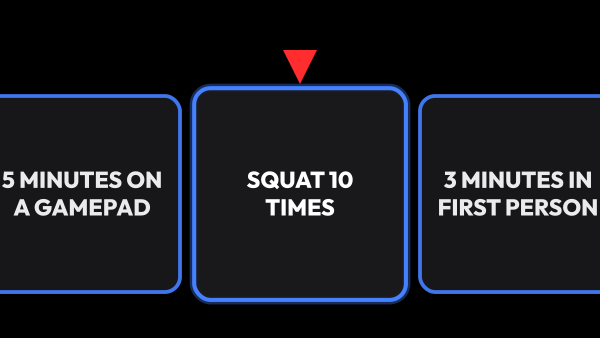
Donations fill a bar. When it fills, a ribbon of cards rolls across your stream, stops on one of them, and whatever it landed on goes onto your challenge list — with a counter or a countdown, live in OBS. It is for streamers whose chat already dares them to do things, and who would rather those dares were paid for, shown on screen and counted than forgotten by the next game.
Interactives
Donation carousel: viewers spin your next challenge
Donations fill a bar. When it fills, a ribbon of cards rolls across your stream, stops on one of them, and whatever it landed on goes onto your challenge list — with a counter or a countdown, live in OBS. It is for streamers whose chat already dares them to do things, and who would rather those dares were paid for, shown on screen and counted than forgotten by the next game.
 Interactives
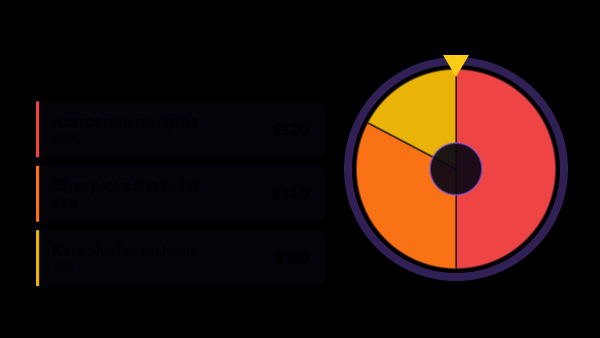
Stream auction: bidding, wheel and tournament
Viewers bid on what you do next — with donations, channel points or a button you press yourself. The winner is decided by a weighted wheel, by elimination or by a tournament bracket, and the board keeps the running leader for the evenings you would rather not spin at all.
Interactives
Stream auction: bidding, wheel and tournament
Viewers bid on what you do next — with donations, channel points or a button you press yourself. The winner is decided by a weighted wheel, by elimination or by a tournament bracket, and the board keeps the running leader for the evenings you would rather not spin at all.
 Interactives
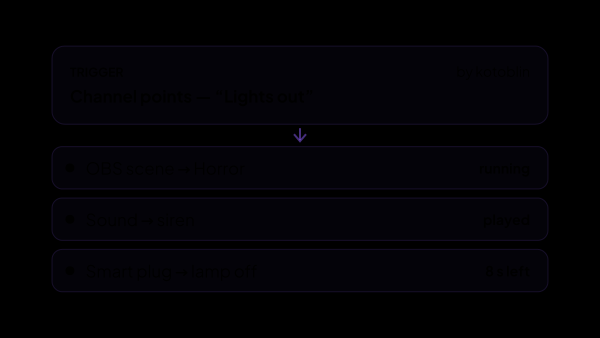
Turn stream events into action chains
Build stream automation in strAImer for Windows: choose a reward, donation, chat command or button, then arrange the actions it runs. For example, a channel point reward can play a sound, switch an OBS scene, wait 30 seconds and switch back.
Interactives
Turn stream events into action chains
Build stream automation in strAImer for Windows: choose a reward, donation, chat command or button, then arrange the actions it runs. For example, a channel point reward can play a sound, switch an OBS scene, wait 30 seconds and switch back.
 Interactives
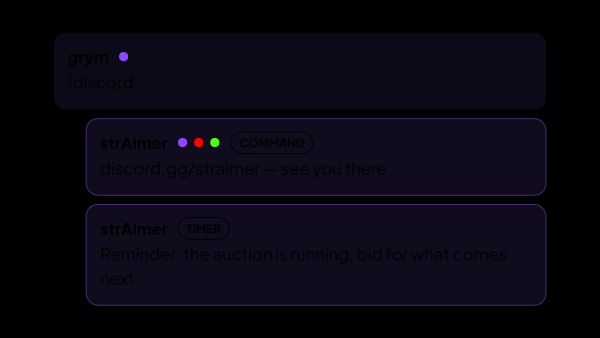
Chat commands and timed messages, on every platform at once
The answers you repeat every stream, written once — and the reminders that post themselves, but only when there is someone in chat to read them. One command answers on Twitch, YouTube and Kick alike, and all of it lives in the app on your own computer instead of someone else’s web panel.
Interactives
Chat commands and timed messages, on every platform at once
The answers you repeat every stream, written once — and the reminders that post themselves, but only when there is someone in chat to read them. One command answers on Twitch, YouTube and Kick alike, and all of it lives in the app on your own computer instead of someone else’s web panel.
 OBS overlays
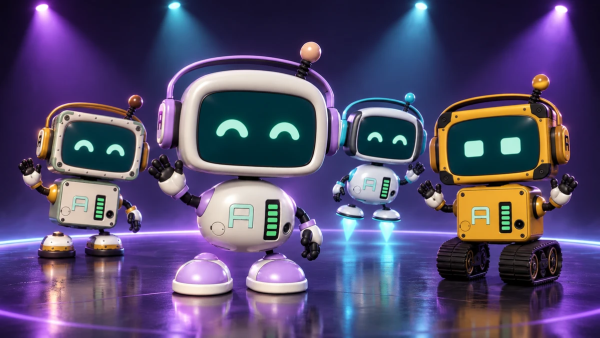
A 3D mascot for OBS: a robot that dances to your alerts and runs on donations
Bytey is a 3D robot who lives in your OBS scene. He dances to the sound of your alerts and clips, thanks donations, subscriptions and raids on his own screen, and runs on a battery that your viewers charge with donations. He is a free character for the Mascot widget, and every part of his look is yours to change.
OBS overlays
A 3D mascot for OBS: a robot that dances to your alerts and runs on donations
Bytey is a 3D robot who lives in your OBS scene. He dances to the sound of your alerts and clips, thanks donations, subscriptions and raids on his own screen, and runs on a battery that your viewers charge with donations. He is a free character for the Mascot widget, and every part of his look is yours to change.
 OBS overlays
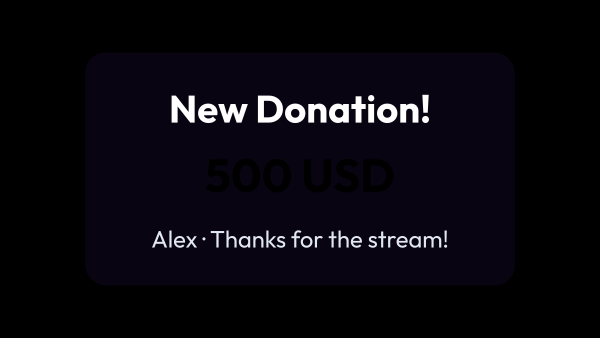
Alerts: pop-ups and sounds for stream events
Donations, subscriptions, followers, bits, raids and channel point rewards, each announced the way you decide — with its own look, its own sound and its own corner of the screen.
OBS overlays
Alerts: pop-ups and sounds for stream events
Donations, subscriptions, followers, bits, raids and channel point rewards, each announced the way you decide — with its own look, its own sound and its own corner of the screen.
 OBS overlays
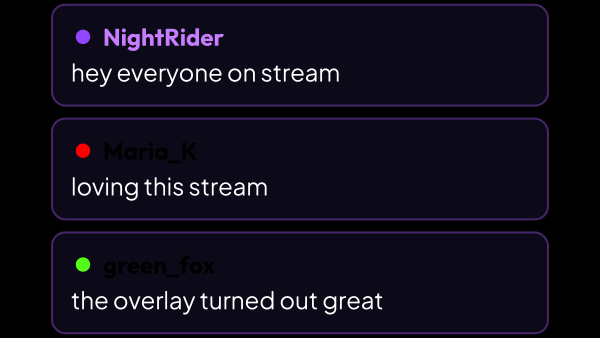
Chat on screen: one overlay for three platforms
Twitch, YouTube and Kick in a single list — with real badges, real emotes, platform icons and the nickname colours viewers picked themselves. Donations, subs and raids can join the same feed. Build one overlay per scene, each with its own look.
OBS overlays
Chat on screen: one overlay for three platforms
Twitch, YouTube and Kick in a single list — with real badges, real emotes, platform icons and the nickname colours viewers picked themselves. Donations, subs and raids can join the same feed. Build one overlay per scene, each with its own look.
 OBS overlays
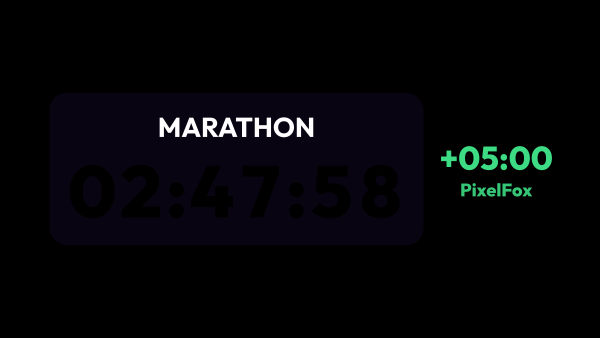
Countdown and marathon timers for OBS
Countdowns, stopwatches and a marathon timer that donations, channel points and subscriptions add time to. Every timer is its own overlay with its own look, and a Control Panel tile runs them mid-stream.
OBS overlays
Countdown and marathon timers for OBS
Countdowns, stopwatches and a marathon timer that donations, channel points and subscriptions add time to. Every timer is its own overlay with its own look, and a Control Panel tile runs them mid-stream.
 OBS overlays
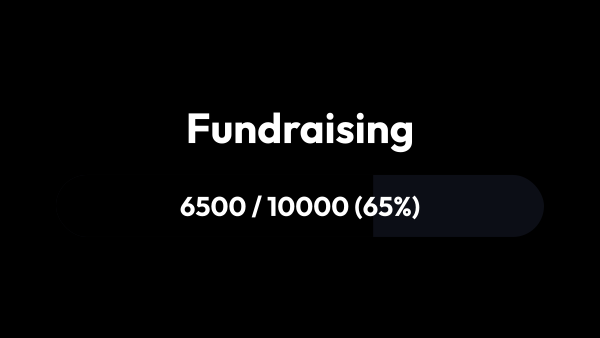
Donation goal bars for OBS
Progress bars that fill themselves as donations arrive: the goal, the amount collected and how far there is left to go — visible without you having to say it every twenty minutes. Run several at once and pause any of them mid-stream.
OBS overlays
Donation goal bars for OBS
Progress bars that fill themselves as donations arrive: the goal, the amount collected and how far there is left to go — visible without you having to say it every twenty minutes. Run several at once and pause any of them mid-stream.
 OBS overlays
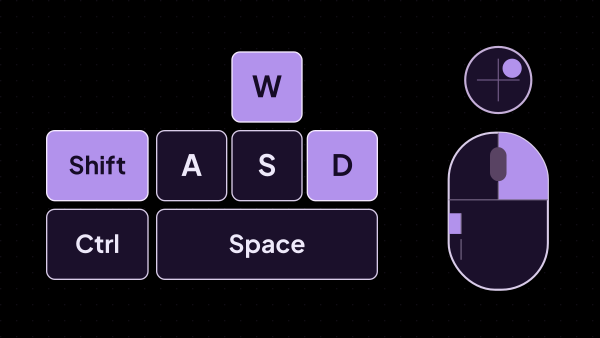
Keyboard and mouse overlay for OBS: show viewers what you press
Viewers watch the keys and mouse buttons light up as you press them. Show only what matters — WASD and two abilities, not the whole board — or take a ready-made layout for a shooter, MOBA, osu!, Minecraft or a platformer. strAImer reads the input itself instead of waiting for the browser source to be in focus, so the overlay keeps working while the game is in front, and letters stay hidden outside games so what you type never reaches the stream.
OBS overlays
Keyboard and mouse overlay for OBS: show viewers what you press
Viewers watch the keys and mouse buttons light up as you press them. Show only what matters — WASD and two abilities, not the whole board — or take a ready-made layout for a shooter, MOBA, osu!, Minecraft or a platformer. strAImer reads the input itself instead of waiting for the browser source to be in focus, so the overlay keeps working while the game is in front, and letters stay hidden outside games so what you type never reaches the stream.
 OBS overlays
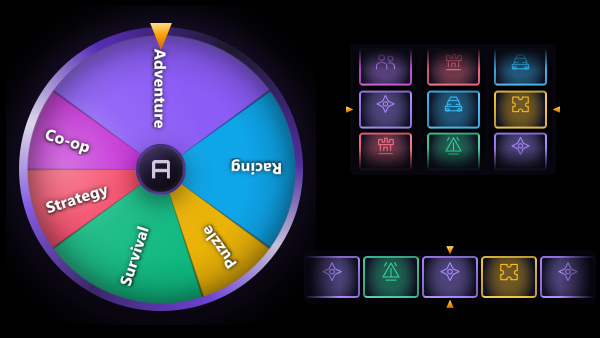
A spin wheel, card strip or slot machine for OBS with lots of your own
A random pick on screen from options you set: a dare, a prize, the next game. Choose a wheel, a strip of cards or slot reels; it spins by itself a few seconds after its scene goes live and stops on one lot. Weights set the odds, and each slot reel can have its own list, so the reels build a phrase like where, what and how many times.
OBS overlays
A spin wheel, card strip or slot machine for OBS with lots of your own
A random pick on screen from options you set: a dare, a prize, the next game. Choose a wheel, a strip of cards or slot reels; it spins by itself a few seconds after its scene goes live and stops on one lot. Weights set the odds, and each slot reel can have its own list, so the reels build a phrase like where, what and how many times.
 OBS overlays
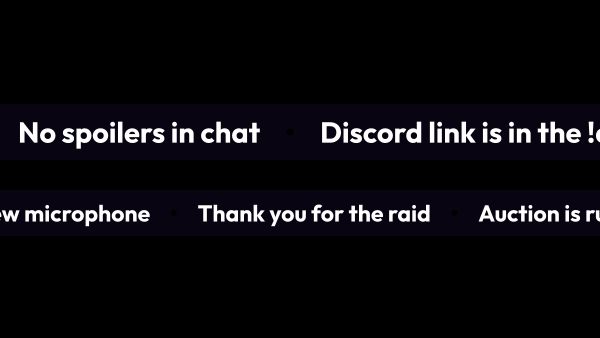
Scrolling text for OBS: rules, links and top donors
The things you repeat every stream — the chat rules, your Discord link, what tonight is about — kept on screen instead of in your mouth. A list runs across the screen as a line or stands in a corner as a column, and it can fill itself: the top donors for a period you pick, or the cards your carousel can drop. Make as many lists as you need, each with its own content, format, speed and look.
OBS overlays
Scrolling text for OBS: rules, links and top donors
The things you repeat every stream — the chat rules, your Discord link, what tonight is about — kept on screen instead of in your mouth. A list runs across the screen as a line or stands in a corner as a column, and it can fill itself: the top donors for a period you pick, or the cards your carousel can drop. Make as many lists as you need, each with its own content, format, speed and look.
 Platforms
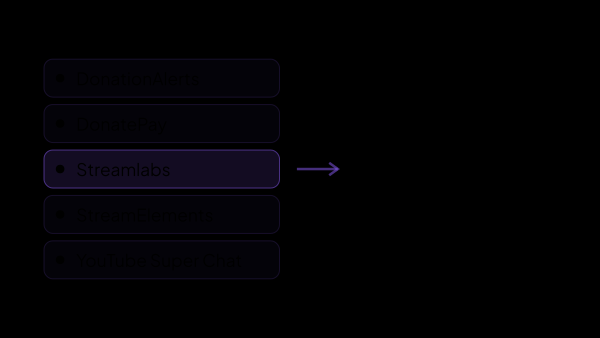
Donations: seven services, one stream of events
DonationAlerts, DonatePay, DonateX, Streamlabs, StreamElements, Trula and StreamEngine all arrive as the same kind of event, converted into one currency — so alerts, goals, the auction and voice over do not care where the money came from.
Platforms
Donations: seven services, one stream of events
DonationAlerts, DonatePay, DonateX, Streamlabs, StreamElements, Trula and StreamEngine all arrive as the same kind of event, converted into one currency — so alerts, goals, the auction and voice over do not care where the money came from.
 Platforms
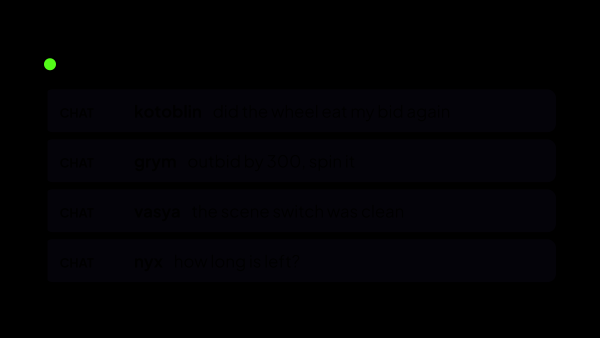
Kick: chat and channel points in the shared feed
Connects Kick chat so its messages land in the same feed as Twitch and YouTube — and so commands, timers and the AI co-host can answer there too. Channel point redemptions come across as well: they fire scenarios and show up in alerts and statistics.
Platforms
Kick: chat and channel points in the shared feed
Connects Kick chat so its messages land in the same feed as Twitch and YouTube — and so commands, timers and the AI co-host can answer there too. Channel point redemptions come across as well: they fire scenarios and show up in alerts and statistics.
 Platforms
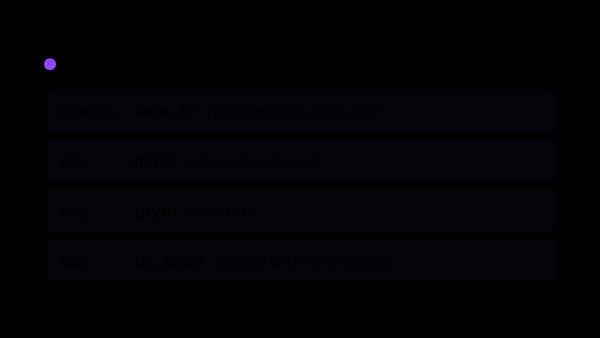
Twitch: chat, events and channel points
Connects your channel in both directions: everything that happens arrives in the app as an event, and the app can answer in chat and run your channel point rewards. Chat, followers, subs, bits, raids and redemptions land in one feed — and a redemption can switch an OBS scene, play a sound or raise a bid in the auction.
Platforms
Twitch: chat, events and channel points
Connects your channel in both directions: everything that happens arrives in the app as an event, and the app can answer in chat and run your channel point rewards. Chat, followers, subs, bits, raids and redemptions land in one feed — and a redemption can switch an OBS scene, play a sound or raise a bid in the auction.
 Platforms
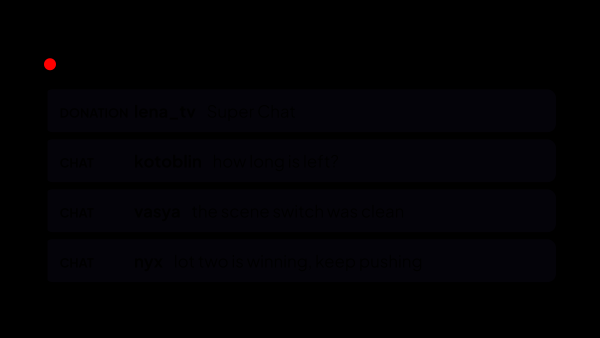
YouTube Live: chat, Super Chat and memberships
Connects the live chat of the broadcast that is running right now: messages, Super Chats and new memberships arrive alongside every other platform, and the app can answer and moderate.
Platforms
YouTube Live: chat, Super Chat and memberships
Connects the live chat of the broadcast that is running right now: messages, Super Chats and new memberships arrive alongside every other platform, and the app can answer and moderate.
 Tools
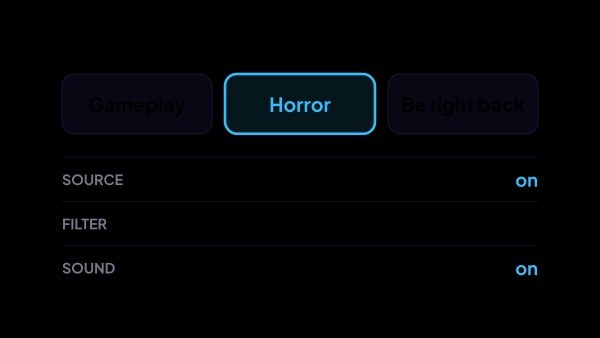
Automate OBS scenes and effects
Connect strAImer to OBS Studio on Windows and let channel point rewards, donations or your own buttons trigger scenes, sources, filters and audio. For example, a reward can turn on a filter for 30 seconds, then turn it off again.
Tools
Automate OBS scenes and effects
Connect strAImer to OBS Studio on Windows and let channel point rewards, donations or your own buttons trigger scenes, sources, filters and audio. For example, a reward can turn on a filter for 30 seconds, then turn it off again.
 Tools
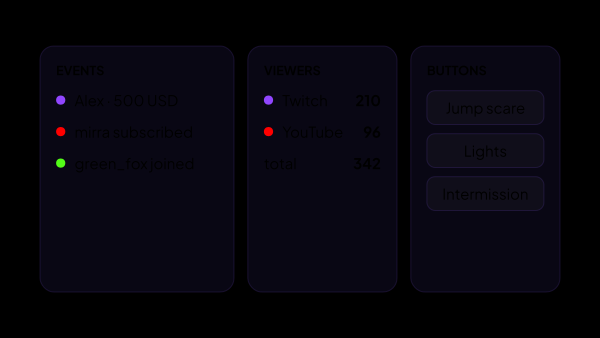
Twitch, YouTube and Kick chat in one panel
Read Twitch, YouTube and Kick chat in one window with strAImer for Windows. Reply to selected connected chats and keep donations, events and viewer counts beside the conversation. Arrange the tiles to suit your stream.
Tools
Twitch, YouTube and Kick chat in one panel
Read Twitch, YouTube and Kick chat in one window with strAImer for Windows. Reply to selected connected chats and keep donations, events and viewer counts beside the conversation. Arrange the tiles to suit your stream.
 Tools
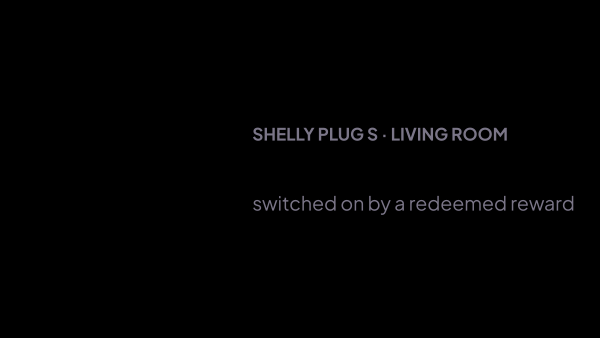
Smart plugs on stream: a donation turns the light on
A viewer buys a reward and the lamp in your room turns on for ten seconds. The command goes straight to the plug over your home network, with no cloud account in between. Any trigger in Scenarios can do it — a donation, a raid, a button on your panel — and a plug switched on for a set number of seconds keeps its own ceiling on how long that may be.
Tools
Smart plugs on stream: a donation turns the light on
A viewer buys a reward and the lamp in your room turns on for ten seconds. The command goes straight to the plug over your home network, with no cloud account in between. Any trigger in Scenarios can do it — a donation, a raid, a button on your panel — and a plug switched on for a set number of seconds keeps its own ceiling on how long that may be.
 Tools
Stream statistics: what each night actually brought
Every stream written down — messages, donations, subscriptions, bits, rewards, raids, followers, viewers — across Twitch, YouTube and Kick at once, so afterwards you can see which nights actually worked instead of trying to remember.
Tools
Stream statistics: what each night actually brought
Every stream written down — messages, donations, subscriptions, bits, rewards, raids, followers, viewers — across Twitch, YouTube and Kick at once, so afterwards you can see which nights actually worked instead of trying to remember.
 Tools
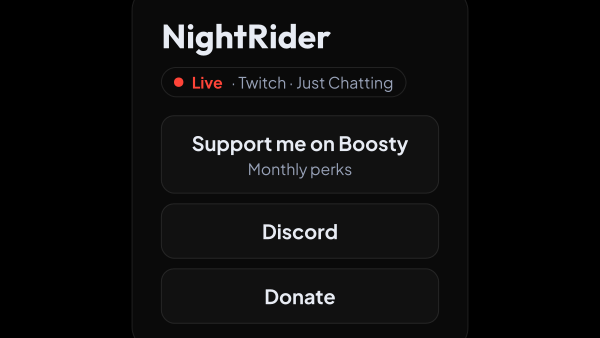
One page with every link you give out
A public card at straimer.com/s/your-name: donation links, card number, PC specs, schedule. Built inside the app, shared as a single link — in your channel description, your Twitch panels, your chat pin.
Tools
One page with every link you give out
A public card at straimer.com/s/your-name: donation links, card number, PC specs, schedule. Built inside the app, shared as a single link — in your channel description, your Twitch panels, your chat pin.
 Tools
Voice over: donations and chat read out loud
Donations, chat and subscriptions read out loud on your stream, in neural voices in 31 languages, and the synthesis runs on your own computer: no cloud service, no subscription and no per-character bill. You decide what is worth reading, and a panel tile silences anything that should not have been.
Tools
Voice over: donations and chat read out loud
Donations, chat and subscriptions read out loud on your stream, in neural voices in 31 languages, and the synthesis runs on your own computer: no cloud service, no subscription and no per-character bill. You decide what is worth reading, and a panel tile silences anything that should not have been.
Nothing in this section yet.