

Twitch: chat, events and channel points
Connects your channel in both directions: everything that happens arrives in the app as an event, and the app can answer in chat and run your channel point rewards. Chat, followers, subs, bits, raids and redemptions land in one feed — and a redemption can switch an OBS scene, play a sound or raise a bid in the auction.
Free — like everything that runs on your own PC.
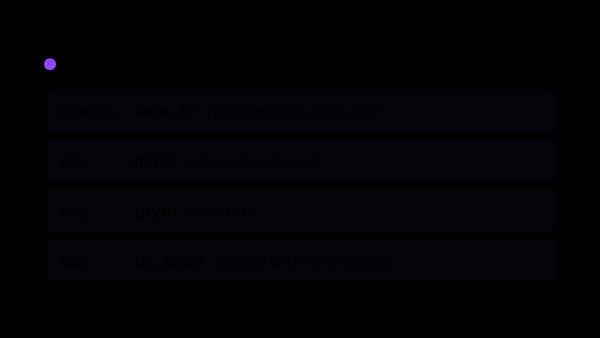
What arrives from Twitch
Each of these becomes an ordinary event, and every other module can react to it — alerts, goals, the auction, voice over, statistics.
- Chat messages with badges, emotes and the nickname colour the viewer chose.
- Followers, and subscriptions split into the cases that differ: new, renewed with the month count, and gifted with the giver’s name. Tier 1/2/3 or Prime.
- Bits, with the message the viewer typed alongside them and the cheermote they picked — not the amount alone.
- Bits also arrive as money: they move the goal bars and count into the takings for the stream. A bit counts as one US cent, what Twitch pays per bit, converted into your base currency; set a rate of your own if you count them differently.
- Raids, with the channel they came from and how many viewers arrived with it.
- Channel point redemptions, including the text the viewer typed into the reward.
- Polls and predictions, from the moment one starts to its result, whether it was started here or on Twitch itself.
- The viewer count while the channel is live, and the title and category it is running under.
What the app can do on Twitch
The connection is not read-only. What it may do is exactly what you granted when authorizing, and the settings page lists every permission next to the feature it belongs to.
- Write in chat — as your own account, or as a separate bot account you connect on purpose.
- Create a channel point reward with its cost, colour, description for viewers, cooldown and per-stream limits — or copy an existing one as a starting point.
- Turn a reward on and off, or delete it, without opening the Twitch dashboard.
- Give the points back for a redemption that was turned down: the auction does this for a bid it rejects, if you leave that switch on.
- Cut a clip from a scenario, so a moment worth keeping is saved while it is still happening.
- Time out, ban, unban or delete a message from the chat tile, without leaving the app.
Channel points as a trigger
This is the part that turns a Twitch feature into everything else in the app. A reward is not an end in itself — it is the button your viewers pay to press.
- A redemption fires a scenario: an OBS scene, a source or a filter, a sound, a phrase read out loud, a message in chat, a smart plug.
- A redemption raises a bid in the auction — you pick which rewards take part and the smallest cost that counts.
- The reward list stays in sync with Twitch, so what you see in the app is what viewers see on the channel.
- Rewards created here and rewards created in the Twitch dashboard are listed apart, because only the first kind can be managed through the API.
- A reward set to skip the request queue is marked done by Twitch the moment it is redeemed — which is why its points can no longer be given back.
What it is not
Twitch is a service on the internet, and this is a program on your computer that talks to it. That draws a few lines worth stating plainly.
- Not a bot living in the cloud: while the app is closed, nothing of ours is sitting in your chat.
- Not a replacement for Twitch. Subs, bits and points stay Twitch’s — the app reads them and acts on them.
- Like the stream itself, it needs the internet: the connection is to Twitch, and without it there is nothing to read.
- It does not touch rewards it did not create. Twitch only lets an app manage its own, so the rest stay visible and stay out of reach.
- It is not a moderation service: the moderation buttons do what your own account is allowed to do on your channel, and no more.
What happens to the access
Authorization is the part people are right to be careful about, so it is worth being precise.
- You authorize on Twitch’s own page — the app never sees your password.
- The token is encrypted with your operating system’s key store and never leaves your computer.
- There is no developer account of your own to register and no keys to paste anywhere: authorization goes through the strAImer app itself.
- Every granted permission is listed next to the feature it unlocks, so “this one does nothing” has an answer you can look at instead of a guess.
- Tokens are refreshed before they run out and the connection comes back by itself after a network drop; when Twitch refuses for good, the app says so instead of retrying in silence.
- A second account can be connected so the app writes as a bot and your own name is not on every automated message. Reading always goes through your own channel — the bot only sends.
Where it all shows up
Past the page where you connect it, Twitch gets no screen of its own: an event lands where it is already expected, and there is nothing to wire between modules by hand.
- The Stream: Chat tile on the control panel, which shows every connected chat in one feed and sends from the same box.
- The Stream: Events tile, which keeps the running list — who followed, who subscribed, who sent bits, who redeemed what.
- The Stream: Viewers tile, which shows the count Twitch reports while the channel is live.
- Alerts, goal bars and the auction, which take the same events with nothing to connect first.
- Stream Statistics, which keeps them after the stream ends, so the numbers do not leave with the session.
What it is made of
Each part is a separate module: you install only the ones you need, and any of them can be removed without breaking the rest.
Getting started
- Open Connections → Channels, press connect and confirm access on the Twitch page.
- Connect a second account in Connections → Bots if you would rather the app did not write under your own name.
- Open Automation → Channel Rewards and create the rewards you want viewers to buy, or pick up the ones already there.
- Bind a reward to a scenario in Automation → Scenarios, or mark it as taking part in the auction.
- If a bit is worth something other than one US cent to you, set that in Settings → Currency Rates.
Twitch allows 50 rewards on a channel in total, however they were created, and a reward made in the Twitch dashboard cannot be changed through the API at all — platform rules, not ours. The app shows which of your rewards it can touch and which it cannot.
Works together with
Get strAImer
Everything on this page runs on your own computer — free, no account, nothing to connect.
Missing something here? Ask for it on the ideas board — votes show what people need most. Propose an idea